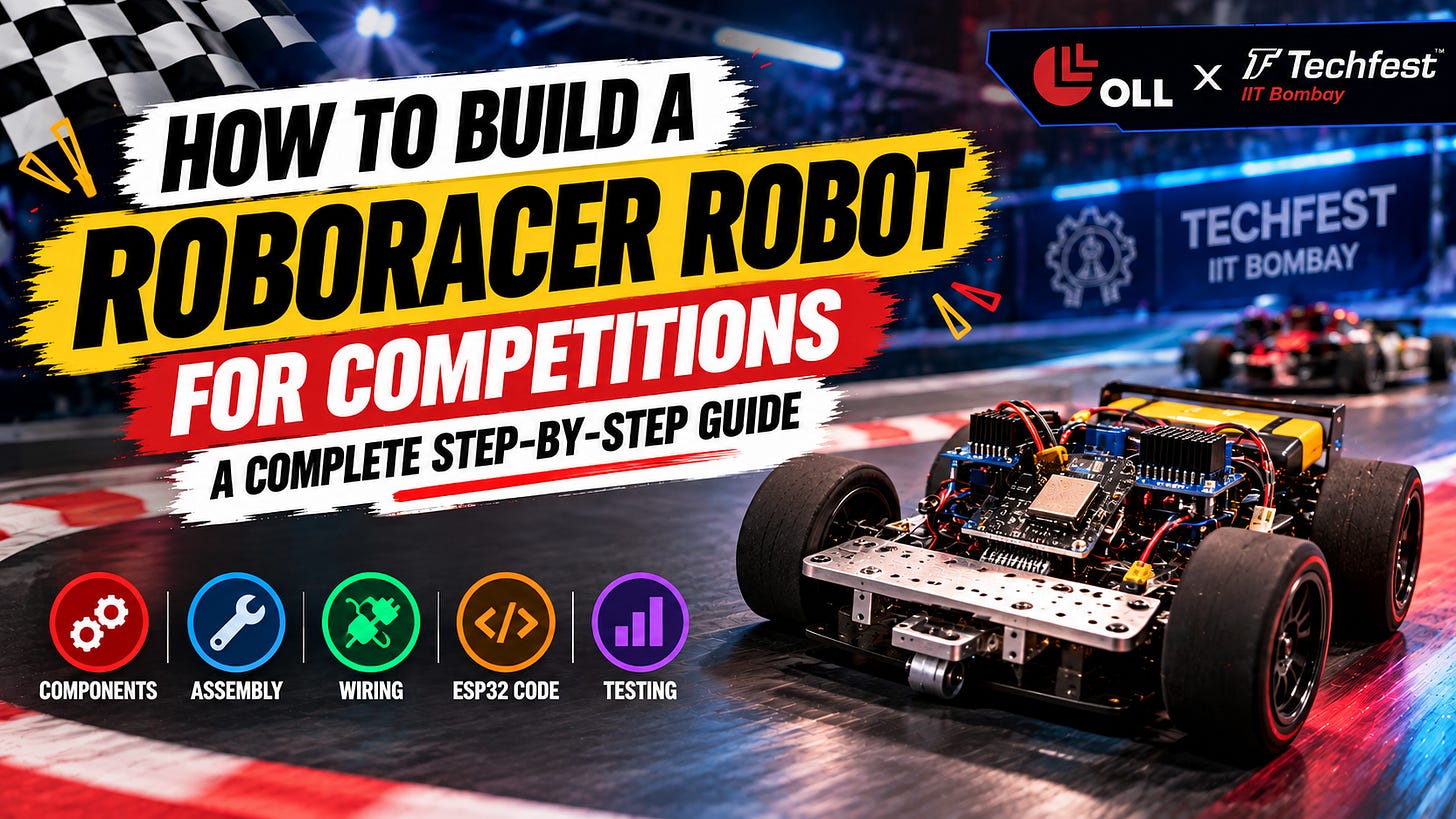
Planning to participate in the OLL × TechFest Robotics Championship at IIT Bombay and want to build your own RoboRacer robot?
Building a competition-ready RoboRacer involves more than simply connecting motors and wheels. The robot needs a proper chassis, motors, motor drivers, power management, control system and correct wiring — all working together reliably.
In this guide, we share a practical step-by-step walkthrough of how to build a RoboRacer bot, from assembling the mechanical structure to connecting the electronics and controlling the finished robot.
The guide covers the major components required, motor and wheel installation, BTS7960 motor driver connections, ESP32 wiring, battery and buck converter connections, Wi-Fi control and final testing.
Important: This build is intended as a reference project. Always check the latest official RoboRacer competition rules for permitted dimensions, weight, components, construction, control method and safety requirements before building your competition robot.
🎥 Watch the Complete RoboRacer Tutorial
Prefer watching the complete build instead of reading through the instructions?
Watch the step-by-step RoboRacer robot-building tutorial to see the assembly, wiring and control process in action.
👉 Watch the Full RoboRacer Tutorial on YouTube →
The video covers:
RoboRacer components
Chassis assembly
Motor and wheel installation
Caster wheel installation
BTS7960 motor driver wiring
ESP32 connections
Buck converter setup
Battery connections
Wi-Fi control
Final robot testing
📁 Resources for the RoboRacer Build
To make the building process easier, keep the required resources and circuit diagram available while assembling the robot.
Resources
ESP32 Code
Circuit Diagram
Wiring Reference
Other RoboRacer Build Resources
👉 Access All RoboRacer Resources →
🛒 Get the RoboRacer Competition Kit
Want to build your RoboRacer without sourcing every component separately?
👉 Purchase the RoboRacer Competition Kit from OLL →
The kit can help you get started with the required hardware, but the final robot must always comply with the official competition rules.
What Is OLL × TechFest 2026–27?
OLL × TechFest 2026–27 is a national robotics championship that gives school students an opportunity to build, compete, innovate and showcase their robotics skills.
The championship features three tracks:
🤖 RoboSumo — 1v1 robot battle
🏎️ RoboRacer — high-speed robot racing
💡 Robotics Innovation Challenge — create robotic solutions to real-world problems
The competition is designed for students from Grades 4–12, with the championship journey leading qualifying teams towards the Grand Finale at IIT Bombay.
For RoboSumo and RoboRacer, the qualification pathway includes the National Online Qualifier → Regional Qualifier → Grand Finale.
The Grand Finale is scheduled for 16–18 December 2026 at IIT Bombay, with a total prize pool of ₹1.5 lakh.
What Is a RoboRacer Robot?
A RoboRacer is a robot designed to compete in a speed-based racing challenge.
Unlike RoboSumo, where the objective is to push an opponent out of an arena, RoboRacer focuses on speed, control, stability and precision.
A good RoboRacer needs several systems to work together:
A strong and lightweight chassis
High-speed motors
Properly mounted wheels
A stable caster wheel
Motor drivers
ESP32 control system
Battery and power management
Correct wiring
Reliable wireless control
The mechanical design and electronics both play an important role in making the robot responsive and stable on the race track.
Components Required to Build a RoboRacer
The build demonstrated in the tutorial uses the following major components:
Metal chassis - Main structure of the robot
500 RPM motors × 2 - Drive the robot
Wheels ×2 - Provide traction and movement
Caster wheel - Supports the front of the robot
ESP32 - Main control unit
BTS7960 motor drivers ×2 - Control the two motors
Buck converter - Reduces the battery voltage for the ESP32
LiPo battery - Powers the robot
Jumper wires - Electrical connections
Nuts and screws - Mechanical assembly
Double-sided tape - Mounting electronics
Note: The exact components, dimensions, weight and control system permitted for competition should always be checked against the latest official RoboRacer rules.
Step 1: Building the RoboRacer Chassis
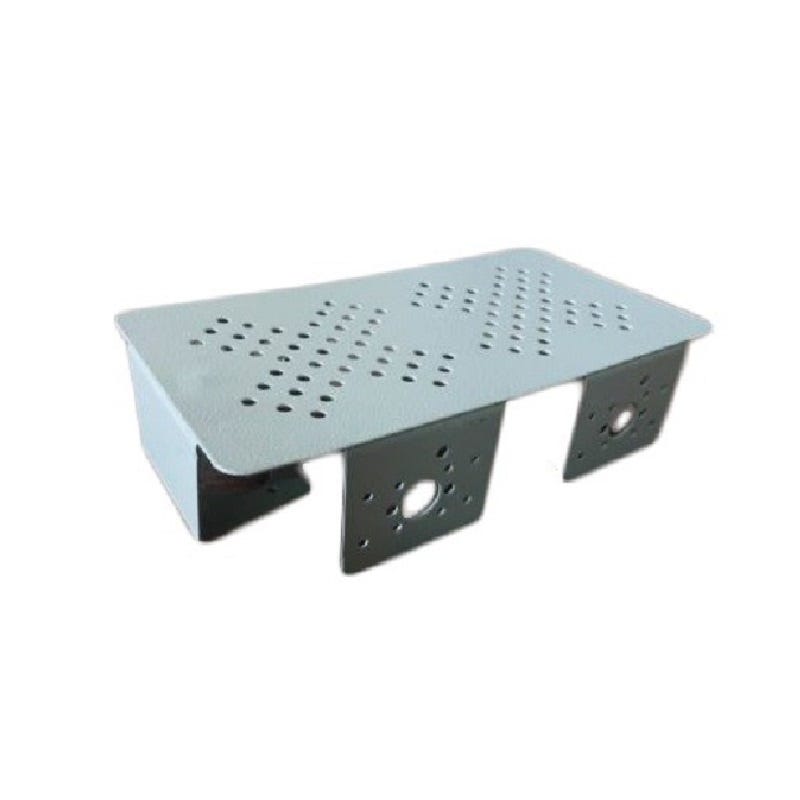
The first step is to prepare the chassis.
The chassis acts as the main structure of the robot and provides mounting points for the motors, caster wheel and electronics.
In the tutorial, a metal chassis is used as the base.
Before mounting anything, make sure the chassis is properly aligned and provides enough space for the motors, wheels, motor drivers, ESP32, buck converter and battery.
A well-organised chassis makes the later wiring and testing process much easier.
Step 2: Installing the Motors
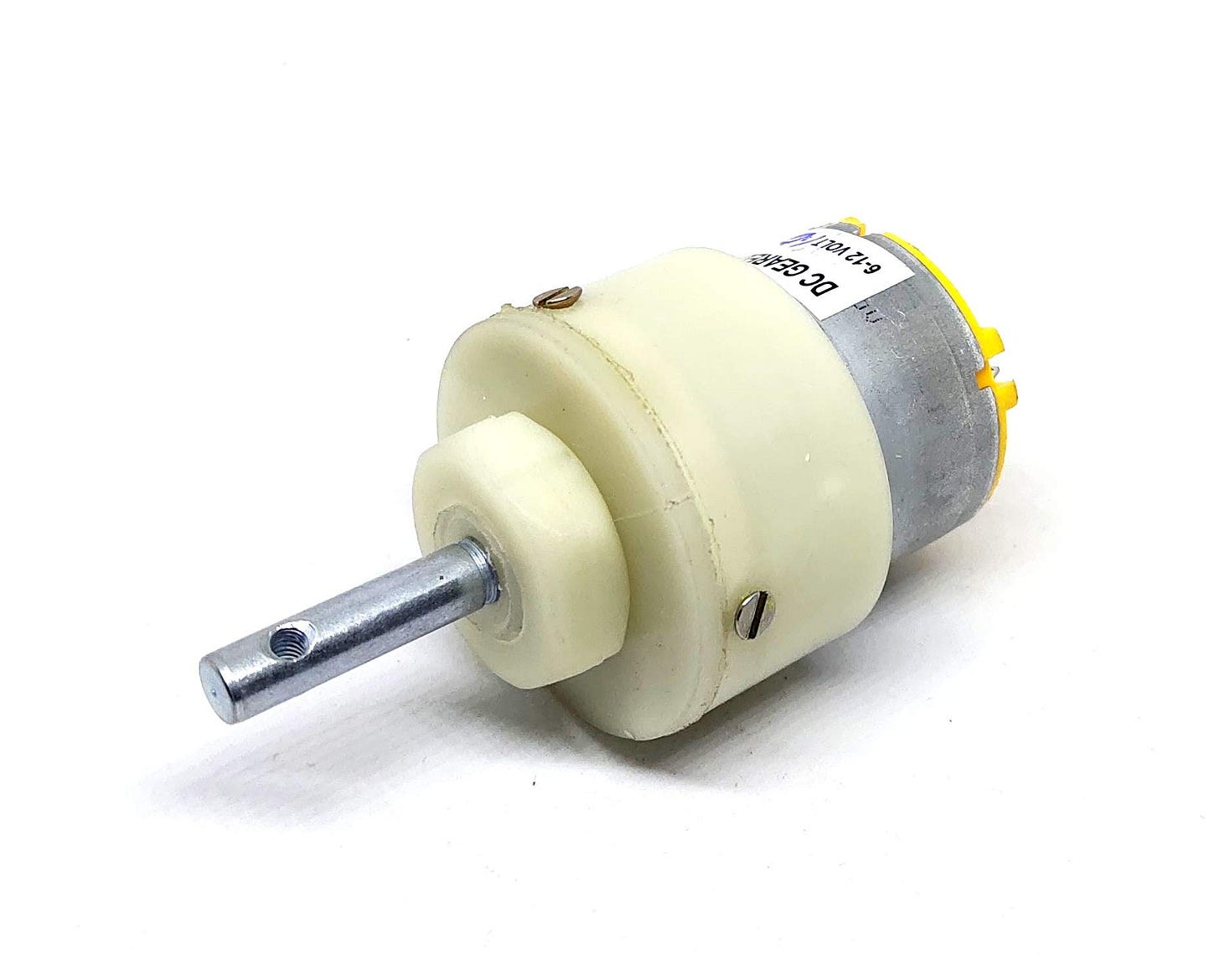
The RoboRacer uses two 500 RPM motors — one for the left side and one for the right side.
Start by positioning the first motor on the chassis.
Use the provided mounting holes, nuts and screws to securely fix the motor to the chassis.
Once the first motor is firmly mounted, repeat the same process for the second motor.
Both motors should be mounted securely and aligned properly.
A loose motor can affect the robot’s stability and movement during testing.
Step 3: Connecting the Wheels
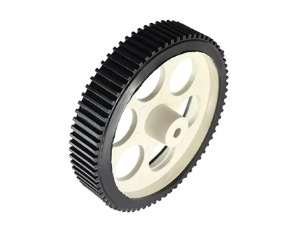
Once both motors are installed, the next step is to attach the wheels.
Slide each wheel onto the corresponding motor shaft.
Use the appropriate screw to secure each wheel to the motor shaft.
The wheels should be firmly attached so that they do not come loose while the robot is moving.
Before continuing, manually rotate both wheels and check that they move freely without rubbing against the chassis.
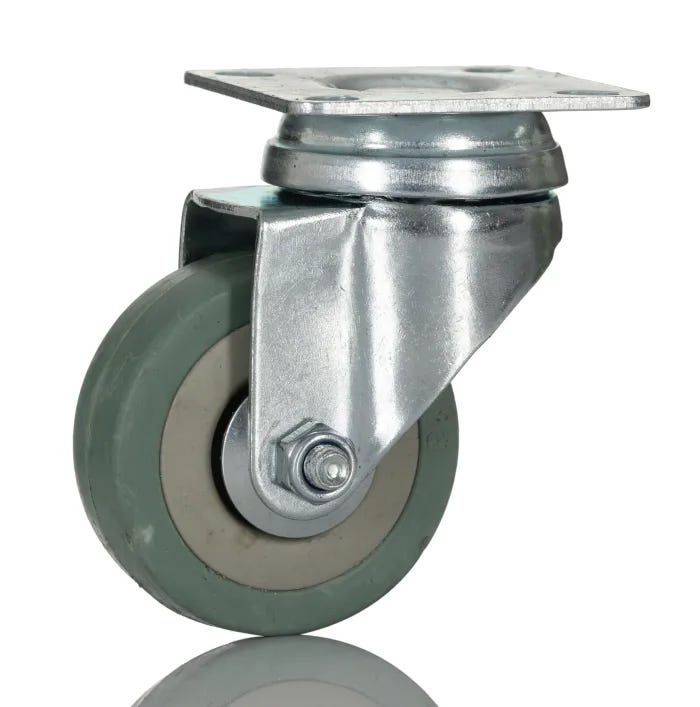
Step 4: Installing the Caster Wheel
The third point of support is the caster wheel.
Position the caster wheel on the front side of the chassis.
Use the required screws and nuts to secure it firmly.
The caster wheel allows the front of the RoboRacer to move smoothly while the two powered wheels provide the main driving force.
Once the caster wheel is installed, the basic mechanical structure of the robot is complete.
Step 5: Preparing the Wiring
With the mechanical structure ready, it’s time to move on to the electronics.
Start by routing the motor wires through the appropriate holes in the chassis.
Keeping the wires organised is important because it prevents them from interfering with the wheels and makes troubleshooting easier later.
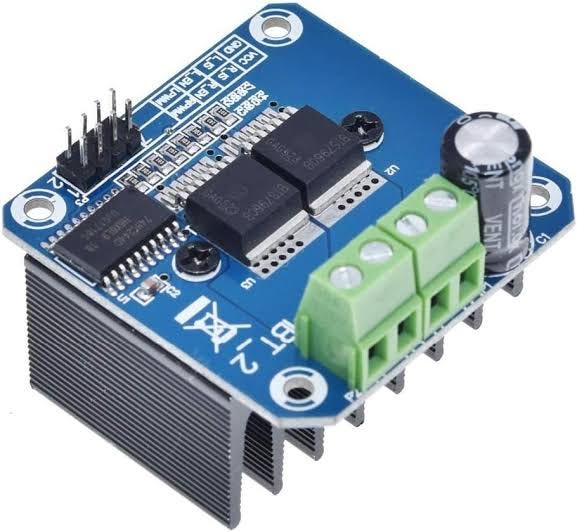
The tutorial uses BTS7960 motor drivers to control the motors.
Step 6: Mounting the BTS7960 Motor Drivers
The RoboRacer uses two BTS7960 motor drivers — one for each motor.
Use double-sided tape or another suitable mounting method to securely attach the motor drivers to the chassis.
Position them so that the wiring can be connected easily and the components remain clear of moving parts.
Once both motor drivers are mounted, the motor connections can be made.
Step 7: Connecting the Motors to the BTS7960
Each motor has two wires.
In the demonstrated setup:
Black wire → M−
Red wire → M+
Connect the wires to the corresponding terminals on the BTS7960 motor driver.
Repeat the same connection for the second motor and its motor driver.
One important point to understand is that the polarity of the motor connections affects the direction in which the motor rotates.
If the positive and negative motor wires are interchanged, the motor’s direction will reverse.
This does not damage the motor by itself, but the wiring should be checked carefully before powering the system.
Step 8: Connecting the BTS7960 Motor Drivers to the ESP32
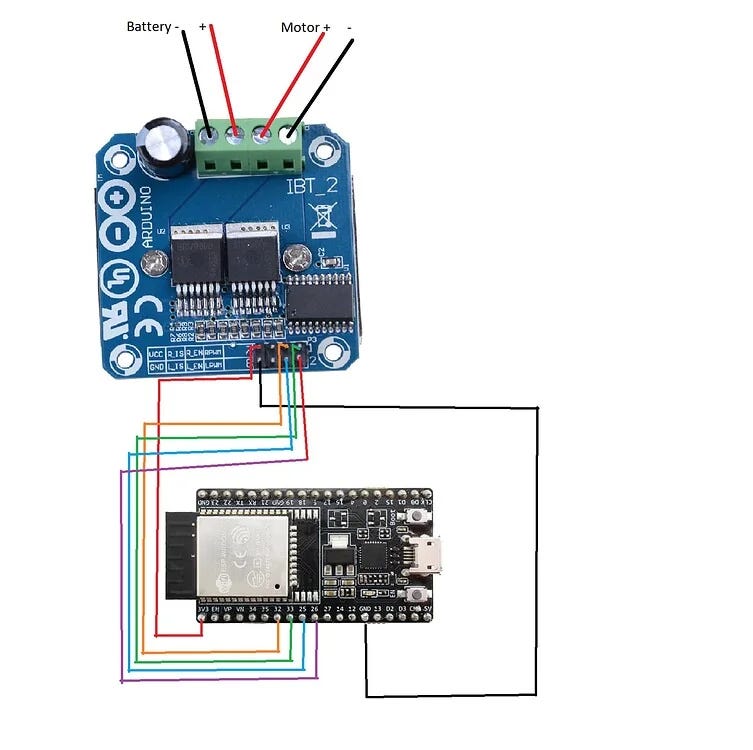
The ESP32 acts as the brain of the RoboRacer.
It sends control signals to the BTS7960 motor drivers, which then control the two motors.
Use jumper wires to connect the motor drivers to the appropriate ESP32 pins.
Because the exact pin configuration depends on the program being used, the connections should be made according to the official circuit diagram provided with the build.
👉 View the RoboRacer Circuit Diagram →
Do not randomly connect GPIO pins. The wiring must match the pin configuration in the ESP32 program.
Step 9: Understanding the Buck Converter
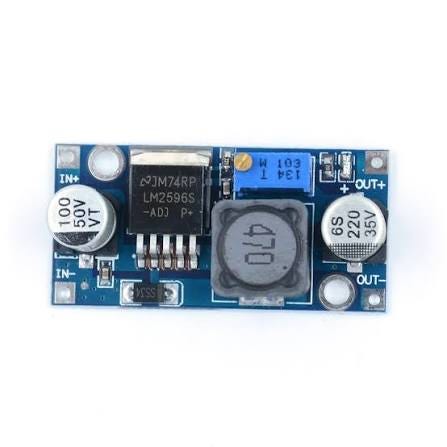
The next important component is the buck converter.
A LiPo battery can provide a voltage higher than what the ESP32 requires.
The buck converter is used to step down the input voltage to a lower output voltage suitable for the ESP32.
In the demonstrated setup, the buck converter is adjusted to provide approximately 5V for the ESP32.
Before connecting the buck converter to the ESP32, the output voltage should be checked carefully.
⚠️ Important: Always verify the buck converter’s output voltage with a multimeter before connecting it to sensitive electronics.
Step 10: Connecting the Buck Converter
Once the buck converter has been correctly adjusted, connect its input to the appropriate power supply.
The demonstrated setup connects:
Positive → Positive supply
Negative → Negative supply
The output from the buck converter is then used to provide the appropriate power to the ESP32.
Make sure the polarity is correct before powering the circuit.
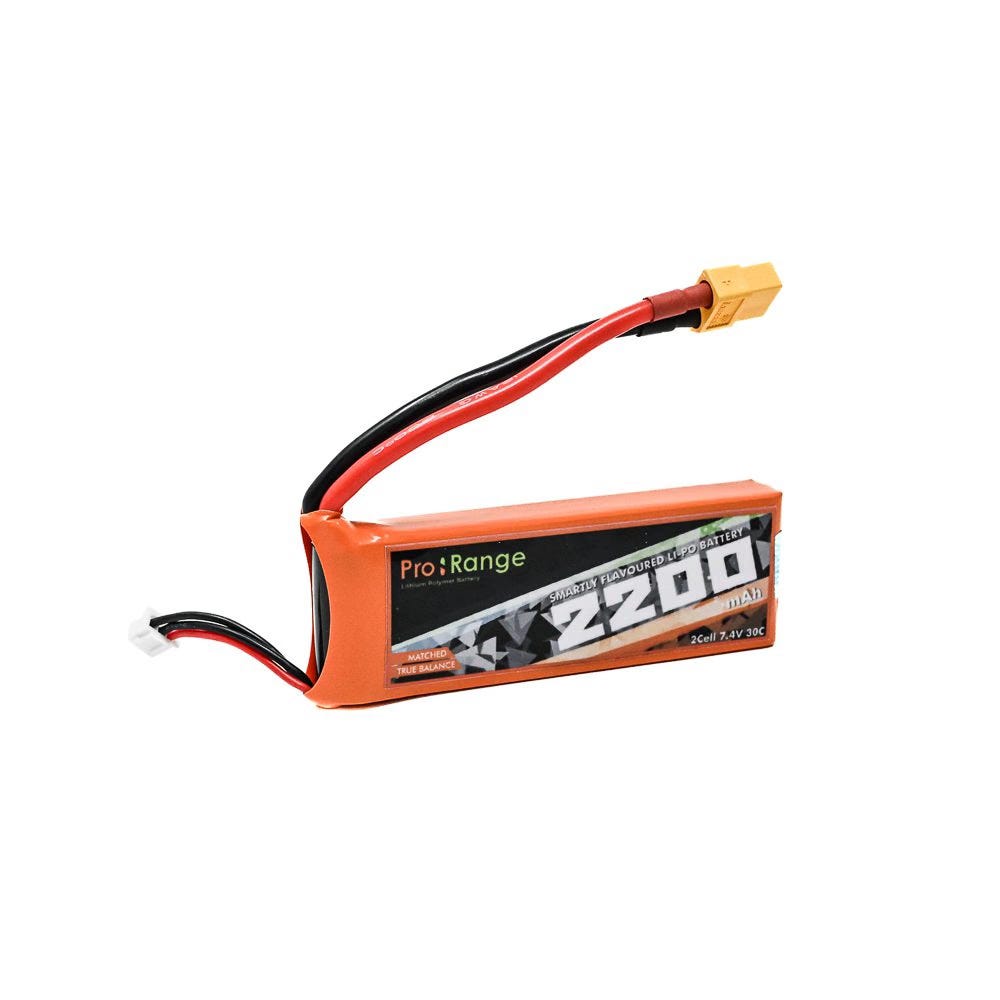
Step 11: Connecting the LiPo Battery
The LiPo battery provides the main power for the RoboRacer.
The demonstrated wiring splits the battery supply so that both motor drivers can receive power.
The power connections are arranged as:
Red wire → Positive
Black wire → Negative
The positive and negative supplies are distributed to the two BTS7960 motor drivers.
The buck converter also receives the required input power and provides the stepped-down output for the ESP32.
Before connecting the battery, carefully inspect all power connections.
⚠️ LiPo Safety: Always use an appropriate LiPo charger, avoid short circuits, check polarity and handle the battery carefully.
Step 12: Completing the ESP32 Connections
At this stage, the two BTS7960 motor drivers should be connected to the ESP32.
The first motor driver controls one motor, while the second motor driver controls the other.
The overall system can be understood as:
LiPo Battery → Power System → Motor Drivers → Motors
and
Buck Converter → ESP32 → Control Signals → Motor Drivers
The ESP32 receives the control input and determines how the two motors should respond.
Step 13: Powering the RoboRacer
Once all connections have been checked, the battery can be connected.
When the circuit powers up, the relevant indicator LEDs on the electronics should turn on.
This provides a quick indication that power is reaching the circuit.
However, an LED turning on does not automatically mean that every connection is correct.
Before testing the motors, check:
Battery polarity
Motor-driver wiring
ESP32 connections
Buck converter output
Loose wires
Wires near moving wheels
Step 14: Connecting the RoboRacer to Wi-Fi
The RoboRacer setup demonstrated in the tutorial uses the ESP32 to create a Wi-Fi network for control.
Open the Wi-Fi settings on your phone.
Look for the robot’s Wi-Fi network, shown in the tutorial as:
SumoBot
If it does not immediately appear, refresh the available Wi-Fi networks.
Once the network appears, connect your phone to it using the password configured in the ESP32 program.
Note: The network name and password may change depending on the code used for your robot. Always use the credentials configured in your own ESP32 program.
Step 15: Opening the RoboRacer Controller
Once the phone is connected to the ESP32’s Wi-Fi network, open a web browser.
Enter the IP address:
192.168.4.1
This opens the robot’s control interface.
The controller allows you to send movement commands to the RoboRacer through the ESP32.
Use the on-screen joystick to control the robot’s movement.
Step 16: Testing the Robot
Before taking the RoboRacer to a competition, it is important to test it thoroughly.
Start slowly.
Test:
Forward movement
Reverse movement
Left turn
Right turn
Motor response
Steering control
Wi-Fi connection
Battery power
Emergency stopping
If the robot moves in the opposite direction from what you expect, check the motor polarity and control logic.
If one motor is not responding, check its BTS7960 connections and the corresponding ESP32 wiring.
How the RoboRacer System Works
The complete system can be simplified into four major sections.
1. Power System
The LiPo battery supplies the main power.
2. Voltage Regulation
The buck converter reduces the voltage to the level required by the ESP32.
3. Motor Control
The BTS7960 motor drivers receive signals from the ESP32 and control the two motors.
4. Wireless Control
The ESP32 creates the Wi-Fi control interface, allowing the robot to receive movement commands from a connected phone.
Together, these systems allow the RoboRacer to move and respond to the driver’s commands.
RoboRacer Competition Preparation
Building the robot is only the first part.
A competition-ready RoboRacer should also be tested for:
⚡ Speed
Test how quickly the robot accelerates and reaches the finish line.
🎯 Control
Make sure the robot responds accurately to steering commands.
🛞 Traction
Check whether the wheels maintain proper grip on the competition surface.
⚖️ Stability
Make sure the robot remains stable during acceleration and turns.
🔋 Battery
Test the robot under realistic running conditions and monitor battery performance.
🔌 Wiring
Secure all wires so they cannot interfere with the wheels or become disconnected.
Final RoboRacer Checklist
Before heading to the competition, go through this checklist:
☑️ Chassis securely assembled
☑️ Both motors firmly mounted
☑️ Wheels securely attached
☑️ Caster wheel installed
☑️ Both BTS7960 motor drivers connected
☑️ ESP32 connected correctly
☑️ Buck converter voltage checked
☑️ Battery connection checked
☑️ No loose wires
☑️ Wi-Fi control tested
☑️ Forward/reverse movement tested
☑️ Left/right steering tested
☑️ Robot tested on a suitable track surface
☑️ Robot dimensions and weight checked against official rules
Build It. Test It. Improve It.
A good RoboRacer is not created simply by assembling components.
The best results come from testing, identifying problems and improving the robot.
Try different approaches to your chassis layout, wiring organisation, weight distribution and control settings while staying within the official competition rules.
Most importantly, don’t simply copy someone else’s robot.
Understand the technology. Experiment with your design. Build your own solution.
That is where the real learning begins.
🏆 Ready for OLL × TechFest?
Your RoboRacer is not just a robot — it’s your opportunity to put your engineering, electronics, programming and problem-solving skills to the test.
Build your bot.
Test your controls.
Improve your design.
Get competition-ready.
Build. Battle. Race. Innovate. 🤖🏎️
👉 Learn More About OLL × TechFest 2026–27 →
OLL × TechFest Robotics Championship 2026–27
🎓 Grades 4–12
🎟️ FREE Participation
🏆 Grand Finale at IIT Bombay
📅 16–18 December 2026